
Your routes, on your phone
The rutefold app for iPhone and Android. Pick today's walk, run or ride where you are: see which of your routes start near you, choose by the time you have at your own pace, and check the climbs before you set off.

Sign in with your rutefold account, or create one in the app.
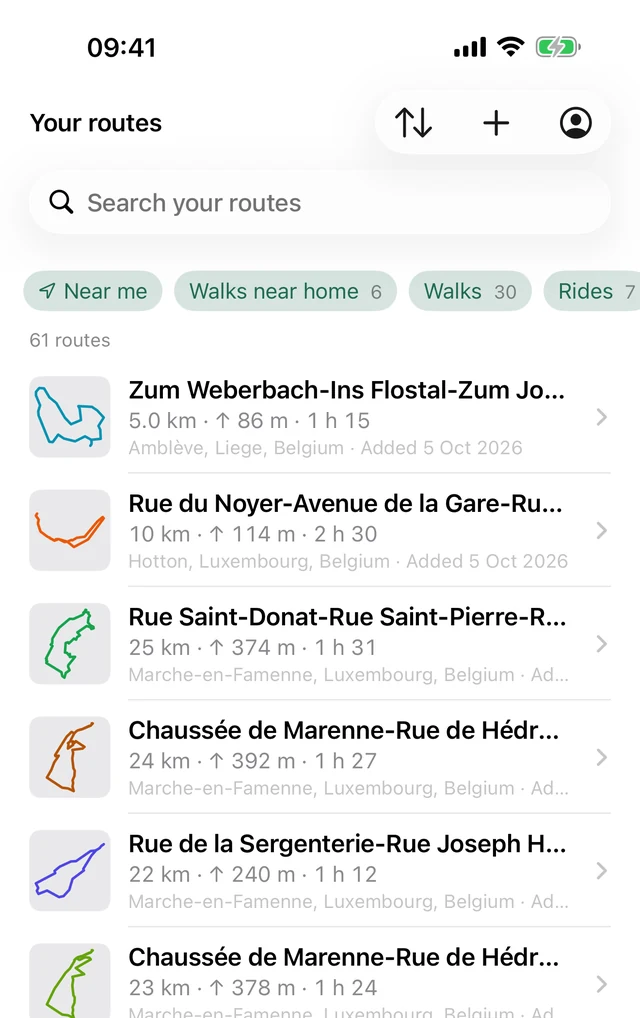
Pick a route in a few taps
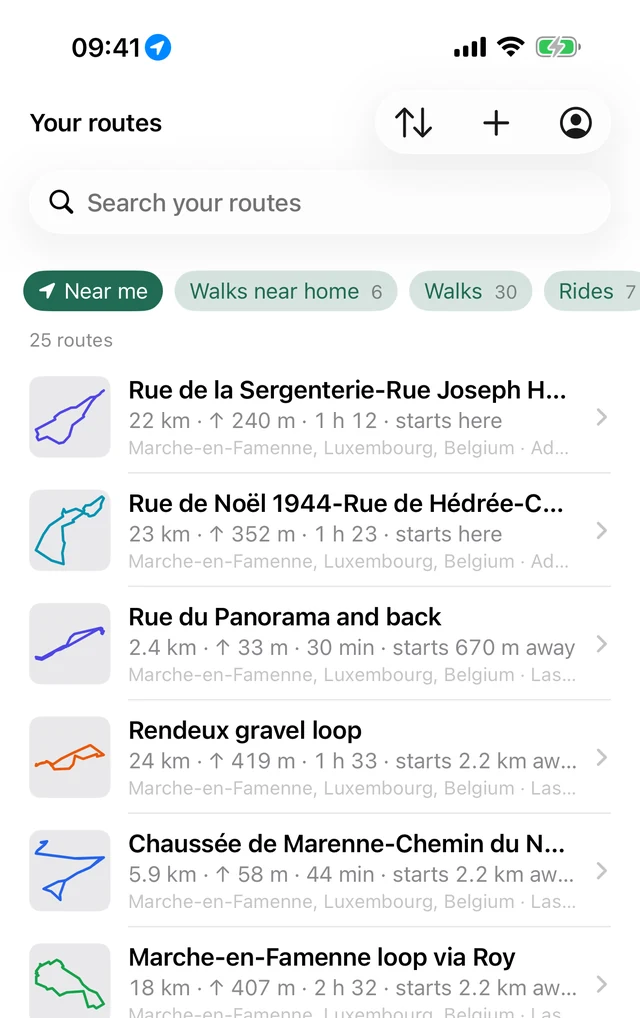
What starts near you
Tap Near me and the routes starting closest to where you stand come first, with how far away each start is. Or start from home.
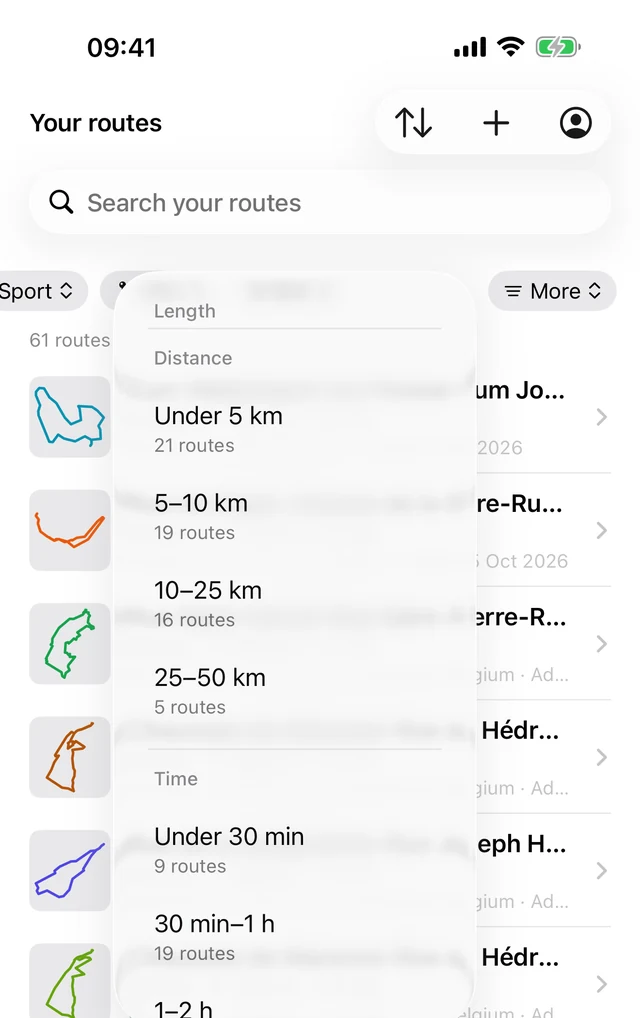
Pick by the time you have
Filter by length or time at your pace, sport, shape and climbing. Every choice shows how many routes it leaves, so you never end up with none.
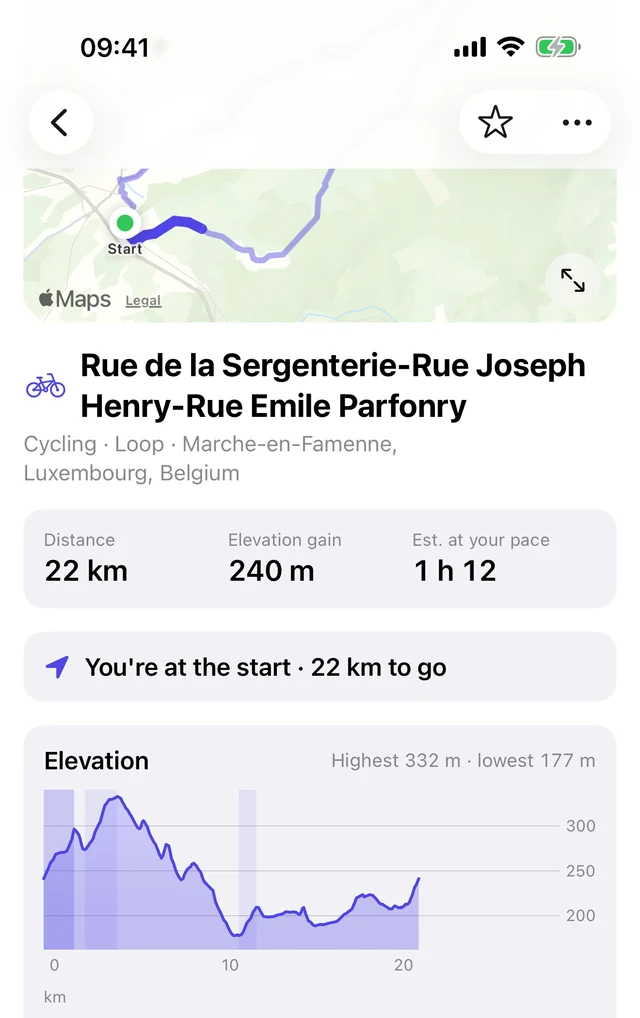
See every climb coming
Each route has its map, distance, climbing and time at your pace. Slide along the elevation profile to see where you'd be on the map.
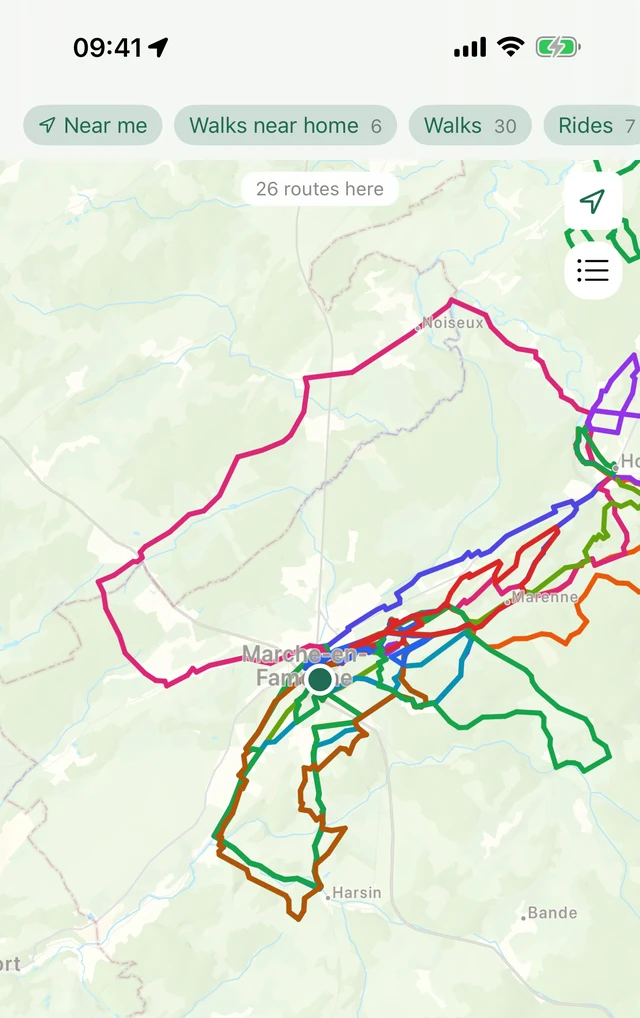
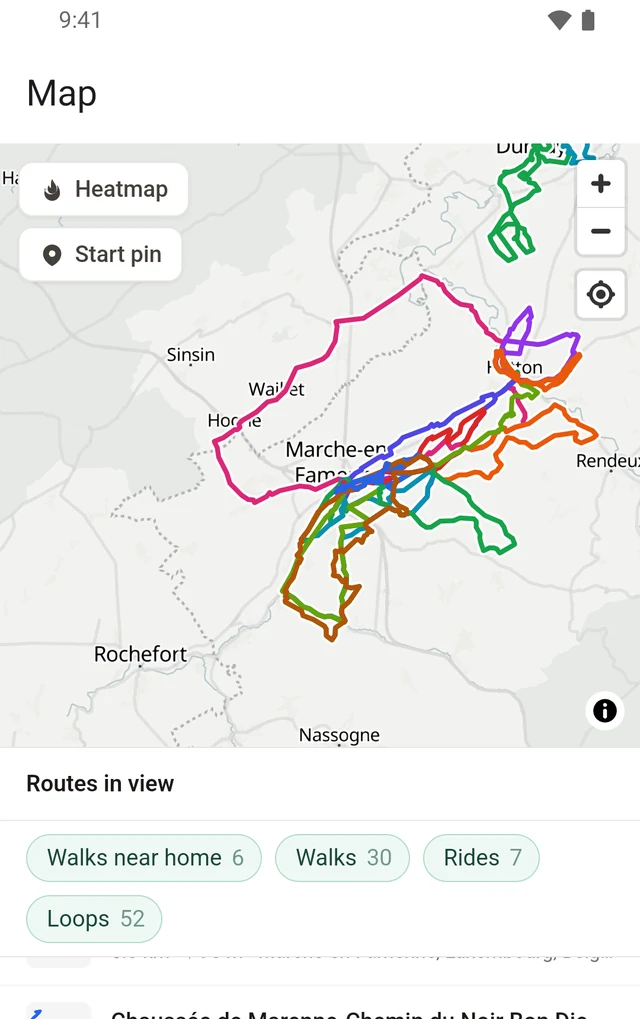
All your routes on one map
See your whole library on the map, filtered the same way as the list, and tap a line to open its route.
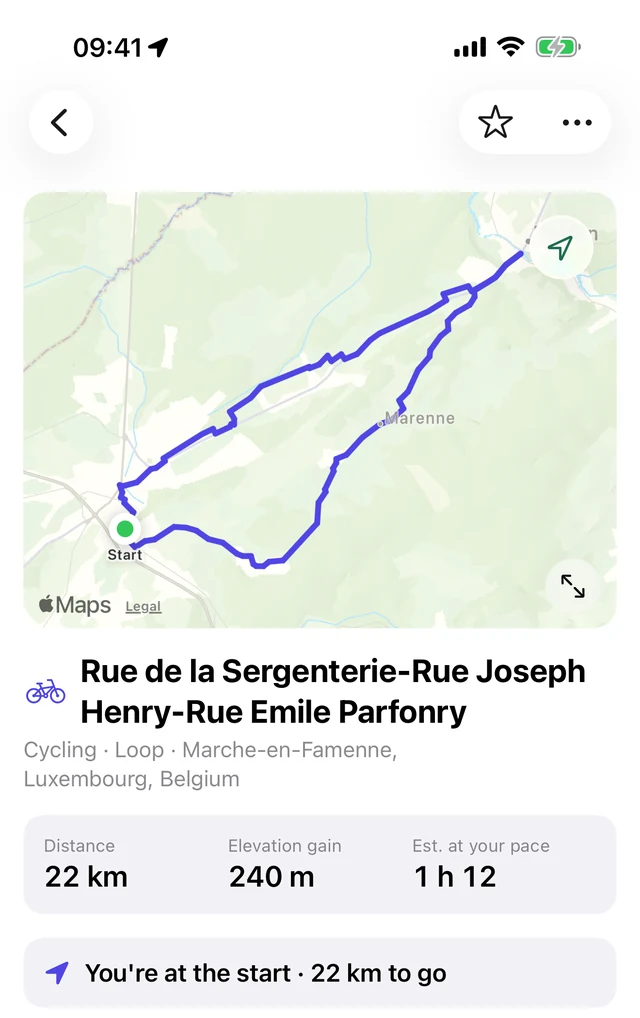
Take your routes with you
- Where you are on a route
- Out on a route, the iPhone app shows where you are on it and how far you have to go.
- The same library as on rutefold.com
- Import your Strava archive on your computer and its routes are on your phone too, with every time you did them.
- Add GPX files
- Straight from the files on your phone.
- Collections and crews
- Each has a tab of its own, next to your library and the map. Your crews' routes are with you on the road.
- Download or share
- Send a route's GPX to your watch, bike computer or another app, or share a route as a link.
Questions
Which phones does it work on?
iPhones with iOS 17 or later, and phones with Android 9 or later.
Do I need an account?
Yes. Create one in the app or on rutefold.com. It's the same account, with the same routes, wherever you sign in.
Can I use rutefold without the app?
Yes. rutefold.com works in any browser, on a computer or a phone.
Does the app navigate or record my outings?
No. Download a route's GPX to follow it on your watch, bike computer or favourite app, and bring your outings in from Strava, or from Garmin through Intervals.icu.
Is my library private?
Yes. Everything in rutefold is private, and stays that way unless you share a route or a collection as a link.
Can I take my routes out again?
Yes. Download any route's GPX in the app, or everything in your account as one zip on rutefold.com.
Today's route, wherever you are
On the App Store and Google Play.